Baseline measurement on Cloudflare: Search Console, Bing Webmaster Tools and Clarity
Contents
Baseline measurement consists of verifying the domain in Google Search Console and in Bing Webmaster Tools, installing Microsoft Clarity while respecting consent and, if the site uses Cloudflare, connecting its logs to see bot activity. It answers how much of the site is crawled, shown and visited. It does not answer what each AI assistant says about a brand.
This guide is written for the person who has to decide which accounts are needed before paying for another tool, not only for the person who sets them up. Technical terms are explained in plain words and the detail appears under the label "For the technical team". CookingMetrics offers audits and support to development teams, and does not sell visibility tools. We do not yet include screenshots of our own site, because Clarity is not yet verified on cookingmetrics.com; we say so to avoid this guide being mistaken for a measured case.
In summary
- Four accounts form the base: Google Search Console, Bing Webmaster Tools, Microsoft Clarity and, if Cloudflare is used, the connection of its logs to Clarity.
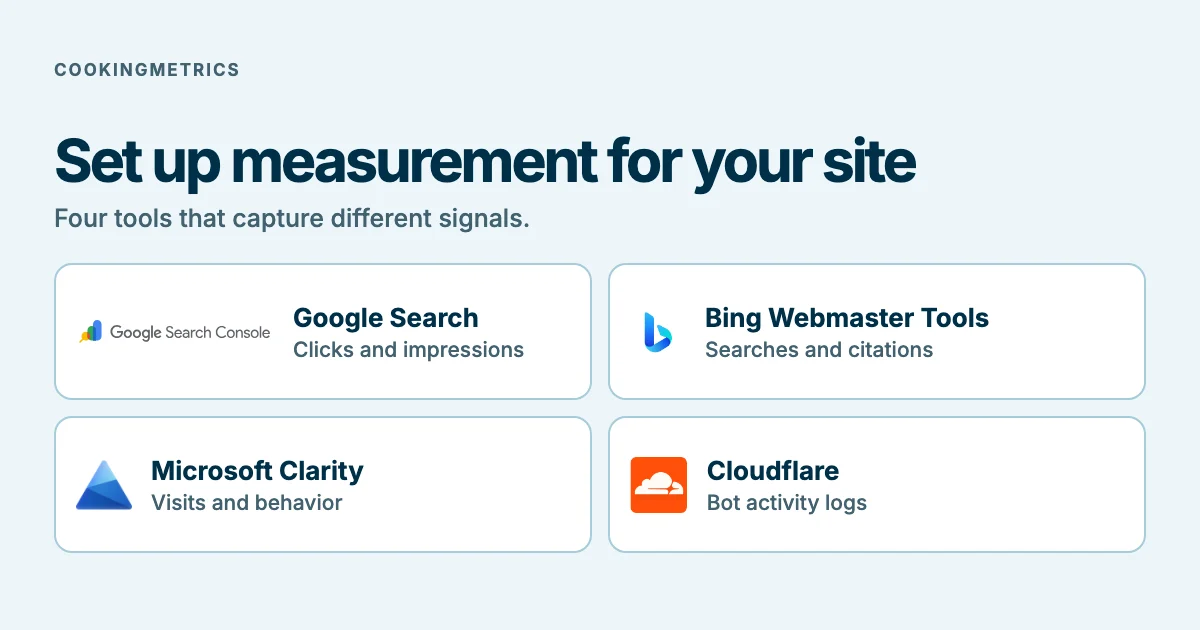
- Search Console reports clicks, impressions and position on Google. Bing Webmaster Tools reports the same for Bing and, in its AI Performance report, citations in Microsoft AI answers. Clarity reports visits and, with server logs, bot activity.
- Domain verification on Google is done with a DNS record and can take time; the data takes a few days to accumulate.
- Clarity requires consent for visitors from the European Economic Area, the United Kingdom and Switzerland since October 31, 2025.
- The bot activity that Clarity shows does not indicate that the content was retrieved or cited. What these tools do not answer is what would justify evaluating a specific tool; see AI visibility reports.
What each tool answers
- Google Search Console: which queries led to the site being shown on Google, how many clicks there were and at what position? According to Google's documentation, traffic from Google's AI features is included in the Search Console total; the documentation consulted does not indicate how to separate it. See how to measure traffic from AI assistants.
- Bing Webmaster Tools: the same for Bing, plus the AI Performance report, in public preview since February 10, 2026, which counts citations in Microsoft Copilot, Bing AI summaries and some partner integrations. It does not report clicks and, according to Microsoft, citations do not indicate position.
- Microsoft Clarity: how visits behave on the site. With a connection to the content delivery network (CDN) or to the server, a bot activity dashboard; and a citations dashboard that Microsoft describes as how often pages are cited in AI answers, without naming on the page consulted which platforms it covers.
- Cloudflare: which AI services access the content and how often, through its AI Crawl Control product.
None replaces the others: they measure different things in different places.
Exclusive content
For signed-in readers
Measurement inventory before starting
Record coverage, unit, date and owner for each source.
Sign in to access this section →We work to offer the best possible content, which is why some of these explanations are not public.
Your account does not have access to this section. Request a demo
Step 1: Google Search Console
- Choose the property type. A domain property includes all protocol variants (http and https) and subdomains. It is the one to choose if the DNS can be edited.
- Verify with the DNS. For a domain property, Google states that the domain provider method is the only possible one: a TXT or CNAME record is added. Records added by hand can take "two or three days" to be served. The record must be kept after verifying.
- Submit the sitemap. In the sitemaps report, the address of the file is pasted and submitted. Google reads it right away; crawling all the addresses can take time and is not guaranteed. The file is not uploaded to Google: you tell Google where it is.
- Wait. Google states that data is collected from the moment the property is added, but that it takes a few days to accumulate.
- Look at the performance report. It shows clicks, impressions, click-through rate and average position.
For the technical team. If the DNS cannot be edited, a URL-prefix property allows other methods (HTML file, HTML tag, Google Analytics, Google Tag Manager). The documentation consulted says that a DNS record verified on a prefix property also verifies the domain property. The documentation consulted does not indicate the retention period of the performance report or whether the data is retroactive.
Step 2: Bing Webmaster Tools
We could not read Bing's official help for verifying a site, importing properties or submitting the sitemap: the pages consulted returned no content. For that reason this guide does not describe those steps; it is best to follow them from the tool itself or its current help.
What is stated in the documentation consulted:
- The AI Performance report measures citations, not clicks, in Copilot, Bing AI summaries and some partner integrations. It includes total citations, average cited pages per day, a sample of grounding queries, citation activity by page and trends. The announcement does not indicate the menu path or whether the preview has ended.
- The Clarity citations dashboard accepts verifying the domain with the Clarity code, with Google Search Console or with Bing Webmaster Tools.
Step 3: Microsoft Clarity
- Install. The documentation lists three routes: an integration with a platform, the manual code inside the
<head>and an npm package. With Google Tag Manager there are three options: the integration recommended from Clarity, the community template "Microsoft Clarity - Official" and a custom HTML tag. Only one tag can be linked per project. - Verify that it works. You can look at the project's live activity or, in the browser tools, look for POST requests to
https://www.clarity.ms/collect. - Wait for the data. The documentation contradicts itself: the installation page says data is seen "instantly" and the FAQ, from October 2026, says it takes a few hours.
- Resolve consent. Since October 31, 2025, Clarity applies consent to visitors from the European Economic Area, the United Kingdom and Switzerland, and determines location by IP address. Without consent, cookies are not used: a different identifier is assigned per page view. Consent is valid for up to nine months. The recommended consent interface is
consentv2, with two required parameters, one for advertising and one for analytics.
For the technical team. The syntax is window.clarity('consentv2', { ad_Storage: "granted | denied", analytics_Storage: "granted | denied" }). Revoking consent with window.clarity('consent', false) deletes Clarity's cookies, according to the page; the earlier consent interface is scheduled for deprecation. Integration with a consent manager depends on the one used; the documentation is not consistent about compatibility with Google's consent mode, so it is best to test rejection, acceptance and withdrawal on the site itself.
Step 4: Cloudflare and bot activity
- Connect. In Clarity, Settings, AI Visibility, a compatible server or CDN is connected. With Cloudflare, the integration creates a Logpush job with the HTTP request logs. The dashboard appears under Dashboards, AI Visibility, Bot Activity.
- Understand the cost. Microsoft states that it does not charge for the bot activity dashboard; the costs are set by the server or CDN provider. For Cloudflare they depend on the plan and on Logpush usage. The two pages consulted contradict each other: Microsoft says Logpush is usually on paid plans and Cloudflare's documentation lists it on all plans. It is best to check it in your own account.
- Connect early. Cloudflare states that Logpush sends the logs only once and cannot recover historical data: whatever happens while the job is off is lost.
- Know how to disconnect. Disconnecting in Clarity only removes the dashboard; it does not stop the flow. The Logpush job must be deleted in Cloudflare.
- Also look at AI Crawl Control. Cloudflare describes it as available on all plans: it shows which AI services access the content, lets you allow or block bots and records
robots.txtviolations. The page consulted does not mention Clarity or detail the fields.
Bot activity measures requests, not citations or traffic: Clarity's own documentation states that it does not indicate that the content was retrieved, grounded or cited. For what to look at in the logs, see the guides on Cloudflare for SEO and GEO and on accessibility for AI bots.
What to look at every week
CookingMetrics' criterion, not a standard:
- Search Console: queries and pages with sharp changes; sitemap errors.
- Bing Webmaster Tools: citations per page in AI Performance, understanding that they are a sample and not clicks.
- Clarity: bot activity by operator and by route type; what changed after a change to the site.
- Cloudflare: which AI bots request pages and whether
robots.txtis respected.
Note the date and the configuration of each reading: without that, two numbers cannot be compared.
Exclusive content
For signed-in readers
Weekly signal log
Organize observations, checks and decisions with a fictional example.
Sign in to access this section →We work to offer the best possible content, which is why some of these explanations are not public.
Your account does not have access to this section. Request a demo
What this base does not answer
- Citations by assistant and by query outside Microsoft. The Bing report and the Clarity dashboard cover Microsoft surfaces; Clarity's citations page does not name platforms.
- Exporting everything. The Clarity export API that we consulted allows ten requests per project per day, covering one to three days of data, and does not document citation or AI visibility metrics. We did not find an MCP connector documented in the pages read.
- What it means for sales. None of these tools answers it.
What to do if a need is left uncovered is discussed in the guide on AI visibility reports.
Exclusive content
For signed-in readers
Compare sources without adding units
Use a matrix to separate clicks, interactions and requests.
Sign in to access this section →We work to offer the best possible content, which is why some of these explanations are not public.
Your account does not have access to this section. Request a demo
What not to conclude
- That a bot that requests a page will cite it: Clarity says the opposite.
- That AI Performance figures are clicks.
- That one week of data is a trend.
- That this guide describes a measured case: there are no screenshots or data of our own yet.
What to do next
If your site does not have these accounts verified, start with Search Console, which is the base that the other readings depend on. If you would like us to review the configuration and the consent, learn about our SEO for AI search service: we review and support your team, and we do not sell visibility tools.
Frequently asked questions
Do I need to pay for a tool to measure SEO and SEO for AI?
For the basics, not necessarily. Search Console, Bing Webmaster Tools and Clarity measure the site itself. Microsoft states that it does not charge for the bot activity dashboard; the connection to a CDN may have costs from the provider.
How long does it take for Search Console data to appear?
Google states that data is collected from the moment the property is added and takes a few days to accumulate. A DNS record added by hand can take two or three days.
Does Clarity need visitors' consent?
Since October 31, 2025, Clarity applies consent to visitors from the European Economic Area, the United Kingdom and Switzerland. Without consent it does not use cookies.
Does Clarity's bot activity show whether I am being cited?
No. The documentation states that it does not indicate that the content was retrieved, grounded or cited. Citations are measured in other dashboards, and only for Microsoft platforms according to what was consulted.
Do I need Cloudflare to measure bot activity?
Clarity's dashboard needs a connection to a compatible server or CDN; Cloudflare is one of the integrations. Without that connection, there is no bot activity dashboard.