Google Ads MCP: connect your AI and start with better questions
Contents
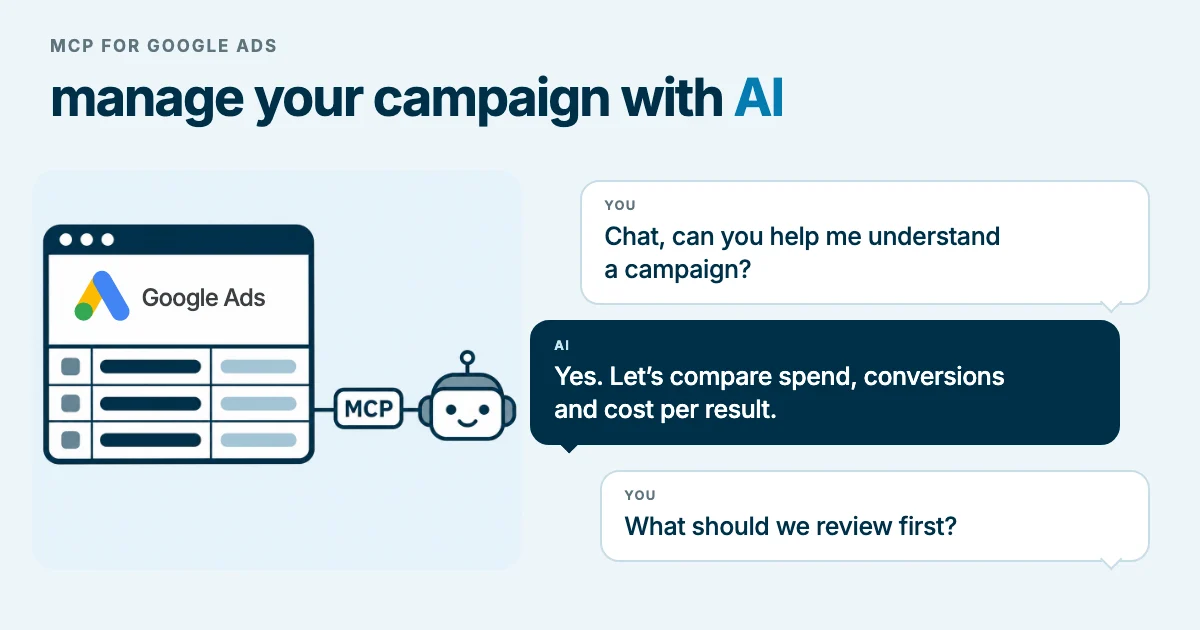
Imagine you run an eCommerce business. The week is starting, and you want to understand why advertising spend increased while sales failed to keep up. Your first question might be: “Which campaigns explain the difference, and what should we review first?” With Google Ads MCP, you can ask an AI assistant connected to your account data.
Google documents an MCP server that connects compatible assistants to the Google Ads API. MCP stands for Model Context Protocol: a protocol that lets an assistant query external tools and data to build its response. The practical development is the ability to discuss your account using information retrieved from it. Official Google Ads MCP guide.
For a business, this opens up a different way of working: start with the commercial question, ask for evidence, and explore the areas where a problem appears. The initial connection requires technical configuration; subsequent questions can be much more approachable.
In summary
- You can use a connected assistant to explore Google Ads performance and prepare analyses that you then check against the account.
- In eCommerce, distinguish purchases from other conversions; in B2B, distinguish inquiries from qualified opportunities.
- To get started, we suggest a connection restricted to reading data and a check using a known account and period.
- The version and enabled tools matter: the guide and repository differ in ways we explain below.
What changes when your assistant can query the account
Think of it as a conversation you can refine. First, ask what changed. Then request a breakdown by campaign. Finally, decide what to review with your team.
For example, when sales decline, a useful response should show how much spend changed, what happened to attributed purchases, and how much each campaign contributed to the difference. If the assistant offers an explanation, it should distinguish that explanation from the data it actually retrieved.
The quality of the analysis depends on both the connection and the question. “How is the account doing?” leaves many decisions open. A query that identifies the business, period, relevant conversion, and comparison criteria is easier to verify.
The following are hypothetical usage scenarios, not client case studies or results measured by CookingMetrics.
Imagine you run an eCommerce business: now you can investigate what happened to sales
You run a home goods store. You sell products at different price points and manage several campaigns. You want to understand where to focus this week's review.
A first query might be:
For the account I specify, compare the latest 28 complete days whose end is at least 24 hours in the past with the preceding 28 days. Use the account's time zone. Show spend, attributed purchases, the value of those purchases, and ROAS by campaign. Identify which campaigns explain most of the change. State which conversion actions you treated as purchases and flag any data you could not retrieve.
ROAS relates the value attributed to conversions to advertising spend. To interpret it in this example, first check that the value represents purchases and is recorded correctly. A good ROAS is not enough to establish profit: costs, margins, and returns still need to be considered.
After that first response, you could continue:
Within the campaigns with the largest declines, compare performance by device where the data allows it. Separate observed changes from your hypotheses. Propose three checks before recommending a change.
The conversation can become a work plan: check measurement, review the mobile purchase experience, or investigate a promotion that ended. These are proposed checks, not causes proven by the assistant.
A completed period does not necessarily have all its conversions recorded. Google explains that the delay between an interaction and a conversion can make CPA appear higher or ROAS lower. Waiting 24 hours avoids comparing days that are too recent, but it does not eliminate that delay. Conversion lag in Google Ads.
Exclusive content
For signed-in readers
From a question to an eCommerce report
Learn to separate spend and purchases with GAQL queries, calculate ROAS without duplicating costs, and check the results against Google Ads. Includes sample queries and a numerical exercise.
Sign in to access the advanced guide →We work to offer the best possible content, which is why some of these explanations are not public.
Your account does not have access to this section. Request a demo
If you sell B2B services, the question is which inquiries become opportunities
A consultancy that implements business software
Imagine your company sells ERP implementation services to other businesses. One campaign generates many form submissions, but the sales team reports that several inquiries come from students or people seeking free support.
You could start with:
Analyze this account's conversion actions separately. Show which ones represent submitted forms and which, if any, represent qualified leads or sales opportunities. Compare the volume and cost per outcome for each campaign. If the account only measures forms, state that this is not enough to assess lead quality.
The distinction matters: a submitted form shows interest, but it does not yet establish that there is a business with a need, budget, and fit for the service.
Google Ads supports qualified lead and converted lead goals, linked to stages in the sales process and offline conversion data. To analyze them, that information must actually be recorded. Connecting MCP does not, by itself, bring in CRM data. Google documentation on qualified and converted leads.
If those data exist, you can investigate which campaigns generate opportunities at more advanced stages. If they are missing, the first process improvement would be to agree on what the sales team considers qualified and how to record that signal.
An industrial maintenance company
Now imagine a company that maintains equipment for factories. It wants to reach procurement and maintenance managers, but also receives home repair inquiries and job searches.
A useful question would be:
Review the available search terms for the selected campaigns. Group them by likely intent: business service procurement, home repairs, employment, or general information. Show examples, spend, and available conversions. Flag ambiguous terms and prepare candidates for human review without applying exclusions.
This classification would help review relevance; it would not prove who performed each search. An isolated word can have several meanings. Google also omits some low-activity terms for privacy, so a term's absence from the report does not prove that nobody searched for it. Scope of the search terms report.
The next step could be to compare the findings with the inquiries received by sales. That would help determine whether to adjust messaging, clarify which businesses the service supports, or review terms that might be excluded.
Exclusive content
For signed-in readers
From a form submission to a B2B opportunity
Define the stages your CRM needs to record, distinguish cost per lead from cost per opportunity, and avoid comparing contacts from incompatible periods. Includes a numerical case and criteria for reviewing measurement with sales.
Sign in to access the advanced guide →We work to offer the best possible content, which is why some of these explanations are not public.
Your account does not have access to this section. Request a demo
How to connect Google Ads MCP, step by step
For an initial trial, we suggest the local route: the server runs on your computer, and your AI application communicates with it. If you do not regularly work with Google Cloud or a terminal, this is the part to prepare with technical help.
1. Prepare access to Google Cloud and Google Ads
You need a Google identity authorized for the account you will query and a Google Cloud project. In that project, enable the Google Ads API and check its access level: for real accounts, make sure it is not limited to testing. The guide explains how to request Explorer access. Project setup for the Google Ads API.
The current MCP guide states that recent versions use GOOGLE_PROJECT_ID and no longer require the old developer token. If you follow an earlier tutorial, check it against the version you intend to install. Current MCP requirements.
2. Prepare the tools and authorize your user
For this walkthrough, you need Python, Git, pipx, the Google Cloud CLI (gcloud), and an AI application compatible with local MCP servers. pipx runs Python applications in isolated environments. pipx documentation.
Configure the project's OAuth consent settings and create an OAuth client for a desktop application. Download its JSON to a private folder; if the application is in testing mode, add the account you will use as a test user. OAuth is the mechanism that opens Google's sign-in flow and requests authorization. Creating OAuth clients.
Using that file, generate local ADC credentials—the credentials the program will use—with this command. Replace the example path with the actual location of the OAuth client JSON:
gcloud auth application-default login \
  --client-id-file="/absolute/path/oauth-client.json" \
  --scopes="https://www.googleapis.com/auth/adwords,https://www.googleapis.com/auth/cloud-platform"
Sign in with the user authorized for Google Ads and save the ADC file path reported by the command. This is a different file from the OAuth client JSON. Google documents the use of a custom client and explicit scopes to authorize services outside Google Cloud. The ADC file contains a refresh token: keep it out of repositories and conversations. Local ADC setup.
3. Restrict the first installation to queries
When we consulted the sources on November 11, 2026, we found a difference: the guide describes a read-only MCP, while the repository lists tools for creating advertising assets and managing labels. Do not assume that every installation has the same permissions.
The repository allows you to disable those categories. Create a tools_config.yaml file with this content and keep its absolute path:
namespaces:
  customers: true
  search: true
  metadata: true
  labels: false
  assets: false
The GOOGLE_ADS_MCP_TOOLS_CONFIG variable specifies which file to load. Tool configuration in the official repository.
4. Add the server to your AI application
This example combines Google's documented local configuration with the restriction above. The file location and accepted format depend on your application; use it with clients that support mcpServers and local stdio transport:
{
  "mcpServers": {
    "google-ads-mcp": {
      "command": "pipx",
      "args": [
        "run",
        "--spec",
        "git+https://github.com/googleads/google-ads-mcp.git",
        "google-ads-mcp"
      ],
      "env": {
        "GOOGLE_PROJECT_ID": "YOUR_PROJECT_ID",
        "GOOGLE_APPLICATION_CREDENTIALS": "/absolute/path/adc.json",
        "GOOGLE_ADS_MCP_TOOLS_CONFIG": "/absolute/path/tools_config.yaml"
      }
    }
  }
}
Replace the project and both paths. If you access accounts through a manager account, also set GOOGLE_ADS_LOGIN_CUSTOMER_ID to its identifier; distinguish that manager account from the advertiser account you want to analyze. Official local configuration.
The example downloads code from the repository. For stable use, we recommend that whoever maintains the connection pins a tested revision and controls updates.
5. Check the connection before requesting a diagnosis
Restart or reload MCP servers in your application. Check that the enabled tools are for account discovery, searches, and metadata.
Then try:
List the accounts I can access directly. Before querying metrics, ask me to select an account. Confirm its identifier, currency, and time zone. Do not combine information from other advertisers.
If a manager account appears, identify the authorized client account before continuing. Then request spend for one campaign over a known period and compare it with Google Ads using the same dates, filters, and currency.
If the server does not start, check that the application can find pipx and that the configured paths exist. If access fails, check the authorized identity, permissions, scopes, and project access level before trying to analyze results.
Exclusive content
For signed-in readers
A connection you can maintain
Prepare a reproducible installation, check access to managed accounts, and establish an update and recovery procedure. Includes a technical record and acceptance checks.
Sign in to access the advanced guide →We work to offer the best possible content, which is why some of these explanations are not public.
Your account does not have access to this section. Request a demo
How to get started without losing sight of the business
Choose a question you can verify: which campaigns explain a change in spend, how attributed purchases changed, or what is being counted as a lead.
Ask every response to include the account, period, metrics used, missing data, and hypotheses. If you need margin, inventory, or opportunity progression, first identify where those data reside and how to incorporate them with authorization. The assistant receives the data it queries: also review which business information you share with the AI provider. Repository considerations.
At CookingMetrics, we suggest starting with a specific decision and the quality of its measurement. For your eCommerce business, that might mean understanding what explains a decline in purchases. For your B2B company, it might mean identifying which campaigns generate opportunities that sales can actually pursue.
Exclusive content
For signed-in readers
A weekly diagnosis you can audit
Turn assistant queries into a process with data checks, hypotheses, and documented decisions. Includes a protocol for investigating changes and a reusable template.
Sign in to access the advanced guide →We work to offer the best possible content, which is why some of these explanations are not public.
Your account does not have access to this section. Request a demo
Related reading
See also Google Analytics MCP: what it does and how to connect it to GA4.
To see what changes when an AI agent visits your own site, read what we learned when we reviewed our site for AI agents. For more on catalog information, see the guide to Merchant Center conversational attributes. If you need to review URLs from a Google Analytics report, GA4 Page Links is a separate tool that helps open them on the correct domain; it is not part of Google Ads MCP.
Frequently asked questions
Does MCP manage campaigns automatically?
This guide proposes enabling queries only. Do not interpret an assistant's recommendation as an executed change. Capabilities depend on the version and tools you enable, which is why we include an explicit read-only configuration.
Can it tell me which leads became sales?
Only if it has data that can answer that question. If Google Ads only records submitted forms, the assistant cannot infer which ones became customers. You need to incorporate sales stages through an appropriate integration or analyze another authorized source.
Is a local installation the only option?
Google also documents remote deployment on Cloud Run. It requires hosting, authentication, and a compatible client. To share it with a team, follow the deployment section of the official guide with technical support.