
How to measure AI assistant traffic: layers, limits and procedure
Contents
Part of the traffic that arrives from AI assistants can be measured, but not all of it. It is best to combine four layers: the Google Analytics report, the server logs, the Google Search Console and Bing Webmaster Tools consoles, and Microsoft Clarity. Each one answers a different question and has limits that need to be understood before drawing conclusions.
This guide is written for those who must decide what to measure and how to interpret what they see, not only for those who configure the tools. Technical terms are explained in plain words and the detail appears under the label "For the technical team". CookingMetrics does not sell AI visibility tools; it offers measurement audits and develops its own applications, and this guide only uses tools that measure the site itself.
In summary
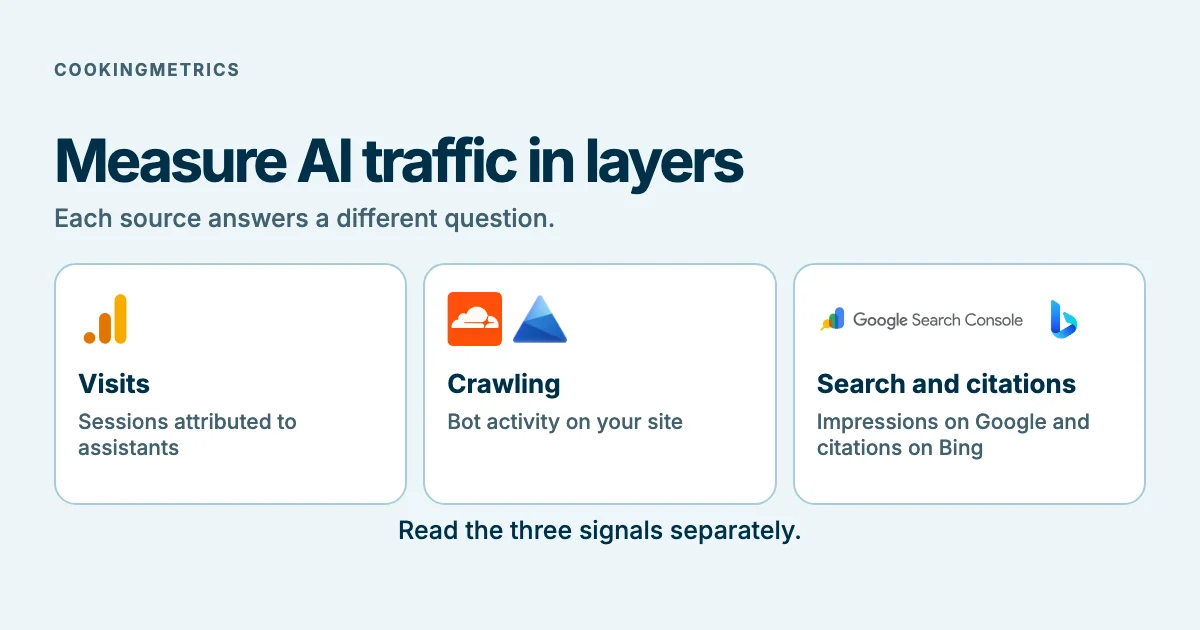
- Three different things are often called "AI traffic": visits from people who arrive from an assistant, the activity of the robots that read the site, and citations of the site within answers. They are measured with different tools and are not added together.
- Google Analytics has a default channel, "AI Assistant", that groups visits from assistants such as ChatGPT, Gemini, Deepseek, Copilot or Grok and excludes AI Overviews and AI Mode. Google's page does not explain how it maintains the list of assistants and states that the definitions may change.
- Search Console includes AI features in Web performance and has a specific impressions report. That report is not a breakdown of clicks or sessions. Bing reports citations and Clarity bot activity, each with its own scope.
- Part of the traffic may not appear as AI traffic; the most likely reasons are hypotheses of this guide, not findings. This guide contains no figures for share or conversion of AI traffic.
- A simple validation procedure (manually reviewing a sample, cross-checking with the server logs and recording the date and the configuration) makes it possible to know how much to trust each number.
Three different questions: visits, crawling and citations
Before measuring, it is worth deciding which question you want to answer.
- Visits: how many people arrived at the site from an AI assistant? This is what is called referral traffic. It is measured with web analytics.
- Crawling: which robots from AI companies read the site and how often? This is machine activity, not people. It is measured with the server logs or the content delivery network (CDN) logs.
- Citations: how many times does the site appear as a source in an assistant's answers, whether or not there is a click? Only the platforms that offer it report it.
A citation without a click is not a visit, and a request from a robot is not a visit. Mixing them leads to false conclusions, for example, believing that AI traffic grew when only crawling increased.
Layer 1: Google Analytics
Google Analytics groups visits into channels according to their origin. Google's documentation states that there is a default channel called "AI Assistant": it groups visits from sources such as ChatGPT, Gemini, Deepseek, Copilot or Grok, and excludes Google's AI Overviews and AI Mode (Default channel group, consulted on November 12, 2026; the page shows no update date).
A visit is assigned to that channel in two cases: if the medium is exactly ai-assistant, or if the medium is defined as ai-assistant because the referrer (the site from which the person arrived) matches a list of AI assistants. The page does not explain how that list is maintained and warns that the definitions may change.
- What it answers: how many visits with an identifiable origin arrived from assistants that Google recognizes, how many sessions and on which pages.
- What it does not answer: visits with no identifiable origin, those from assistants that are not on Google's list and those that Google classifies in another channel.
- For the technical team: if you need to cover other assistants or group them differently, you can create a custom channel group with a regular expression on the session source. The step-by-step configuration is in the guide by Martín Garay, founder of CookingMetrics, published on his personal site, which belongs to a different brand: how to measure ChatGPT traffic in GA4 (published on April 4, 2025 and updated on June 16, 2026). That guide uses a broad regular expression, and the following section explains why its results should be reviewed.
A risk of broad regular expressions
A regular expression that looks for text fragments, such as "gpt" or "gemini", captures any source that contains those letters, even if it is not an assistant. This is a logical possibility, not an error demonstrated in any guide. That is why the validation procedure below includes manually reviewing the sources that the filter captures.
Exclusive content
For signed-in readers
A repeatable Analytics extraction record
Record dimensions, period, filters and data quality to distinguish sessions from other metrics.
Sign in to access this section →We work to offer the best possible content, which is why some of these explanations are not public.
Your account does not have access to this section. Request a demo
Layer 2: server and CDN logs
Server logs record every request the site receives, with the name of the program that made it (the user agent). They are the most complete source for knowing which robots read the site.
OpenAI documents three user agents: OAI-SearchBot, for search; GPTBot, for its models; and ChatGPT-User, for certain user actions in ChatGPT. For the first two, robots.txt controls access; for ChatGPT-User, the documentation states that robots.txt rules may not apply (Overview of OpenAI crawlers, consulted on November 12, 2026; the page shows no update date).
- What it answers: which robots read the site, how often and which pages; whether the firewall or the CDN blocks them.
- What it does not answer: it does not say whether a person visited the site. A request from a user agent is not a human visit.
- For the technical team: filter the logs by user agent and by date range; for the method of checking each robot's access, see the bot accessibility test. The Cloudflare technical guide for SEO and GEO explains the CDN configuration.
- Privacy: the logs contain visitor data (for example, IP addresses). Their handling must be reviewed against the site's privacy policy.
Exclusive content
For signed-in readers
Bot log lab
Classify requests with verified or unverified identities and calculate proportions without changing denominators.
Sign in to access this section →We work to offer the best possible content, which is why some of these explanations are not public.
Your account does not have access to this section. Request a demo
Layer 3: Google Search Console and Bing Webmaster Tools
Google Search Console
Google states that its AI features, AI Overviews and AI Mode, are counted in the Search Console performance report under the "Web" search type (AI features and your website, consulted on November 12, 2026). According to the help page on impressions, position and clicks, a click on an external link within AI Overviews or AI Mode counts as a click, and all the links in an AI Overview receive the same position (What are impressions, position, and clicks?, consulted on November 12, 2026).
- What it answers: Google performance and, in the specific generative AI report, impressions for covered features. Google reports a global rollout; a property may not show it if data is insufficient.
- What not to infer: an impressions view does not prove a separate breakdown of clicks or equal sessions.
Bing Webmaster Tools
Microsoft introduced AI Performance in Bing Webmaster Tools in public preview on February 10, 2026 and added "Topics Portfolio" (beta version) on October 13, 2026. The report measures citations, that is, the times the site appears as a source in AI-generated answers, in Microsoft Copilot, in Bing's AI summaries and in some partner integrations (Introducing AI Performance in Bing Webmaster Tools Public Preview, consulted on November 12, 2026).
- What it answers: how many citations the site receives and which pages are cited, on Microsoft's surfaces.
- Limits that Microsoft states: the total number of citations does not indicate placement within an answer; the average of cited pages does not indicate position or authority; and grounding queries are a sample of the total activity.
- What it does not answer: it does not measure clicks or visits, and it does not cover ChatGPT, Gemini or Perplexity.
Layer 4: Microsoft Clarity
Microsoft Clarity offers a robot activity dashboard ("Bot activity") that shows how automated systems access content. Its metrics are the robot operator, the share of AI requests, robot activity and requests by path. It is based on server logs collected through integrations with compatible CDNs or servers, which are connected from Clarity's settings and may have costs depending on the provider (Bot Activity overview, consulted on November 12, 2026).
- What it answers: which robots visit the site and which paths they request, without having to analyze the logs by hand.
- Limits that Microsoft states: a robot's activity does not indicate that the content was retrieved, grounded or cited in an AI answer, and the metrics may not translate into traffic, attribution or downstream outcomes.
- For the technical team: it requires connecting a compatible CDN or server. The documentation consulted does not name Cloudflare on that page; it is worth confirming the compatibility of the CDN the site uses before planning it.
Exclusive content
For signed-in readers
Reconcile sources without inventing an AI total
Compare Analytics, logs, Clarity and consoles by unit and scope without adding incompatible metrics.
Sign in to access this section →We work to offer the best possible content, which is why some of these explanations are not public.
Your account does not have access to this section. Request a demo
What cannot be measured
These are the most likely blind spots. Except for the first one, they are reasonable hypotheses of this guide and not documented findings.
- Assistants that Google does not recognize. The list of assistants in the "AI Assistant" channel is maintained by Google and the page does not explain how it is updated.
- Visits with no identifiable origin. It is plausible that part of the AI traffic arrives without origin information and is classified as "Direct", which according to Google groups those who arrive through a saved link or by typing the address. It is not possible to know how much.
- Copied links and applications. A person who copies a link from an assistant and pastes it elsewhere, or who opens it from an application, may leave no trace of the origin. This is a hypothesis.
- Exposure without a click. An appearance may not generate a visit. Search Console reports impressions for its covered features and Bing reports citations for its own. They are different units and neither is an inventory of every AI answer.
- Broad captures. An overly broad regular expression may add visits that do not come from assistants (see Layer 1).
A validation procedure
This procedure is a CookingMetrics method, not yet tested on its own data. It is useful for knowing how much to trust a number before using it.
- Define the question. Decide whether you want to measure visits, crawling or citations (see above).
- Record the configuration and the date. Note which channel or filter is used, which period is measured and which version of each tool was consulted.
- Manually review the captured sources. In Google Analytics, list the distinct source values that the channel or filter captured in a period, and check one by one that they are AI assistants. Note how many are not.
- Cross-check with the logs. If the server or the CDN keeps logs, check whether the AI robots that appear there match what Clarity shows and the visit peaks.
- Look at Search Console and Bing Webmaster Tools separately. Do not add their figures to those of Google Analytics: they measure different things.
- Compare the same site with the same configuration over time. A configuration change invalidates the comparison.
- Write down what could not be measured. Record the blind spots alongside the report.
Exclusive content
For signed-in readers
A monthly report with evidence and decisions
Use a worked report across two periods to distinguish channel growth, share and next decisions.
Sign in to access this section →We work to offer the best possible content, which is why some of these explanations are not public.
Your account does not have access to this section. Request a demo
What not to conclude
- That AI traffic converts better or worse than other traffic: this guide has no data of its own with its denominator, and it does not claim this.
- That a measured number of visits represents all AI traffic: it is, at most, the identifiable minimum.
- That more robot activity means more citations, more visits or more sales: Microsoft says so explicitly about its dashboard.
- That a citation in Copilot is a citation in ChatGPT: they are different platforms.
Limits of this guide
- Scope of the sources. Each statement describes the platform that publishes it, with its consultation date. Definitions and reports change.
- No share or conversion figures. No figure was verified in a primary source, and none are used.
- Procedure not executed. CookingMetrics has not applied it to its own data; it is presented as a method.
- Not legal advice. The handling of logs and the consent configuration should be reviewed against the privacy policy and with legal counsel.
What to do next
The next step is to take a baseline measurement: note which channel or filter the site uses today, manually review a sample of the captured sources and check what each console shows. From there, repeat it with the same configuration every month and record the changes.
If you would like us to review your site's measurement, you can learn about our SEO for AI search service. We review the configuration and support your team; we do not sell visibility tools. For the general framework, see what GEO is.
Frequently asked questions
Does Google Analytics measure ChatGPT traffic?
It measures the visits that arrive with an origin that Google recognizes as an AI assistant; ChatGPT is among the examples of the "AI Assistant" channel. It does not measure visits with no identifiable origin or citations without a click.
Do AI Overviews clicks appear in Google Analytics as AI traffic?
No. Google documentation says the AI Assistant channel excludes AI Overviews and AI Mode. Search Console includes those features in search performance and offers a specific impressions view. Do not assume that this view also separates all their clicks.
Is a custom regular expression needed?
Not necessarily. The default channel may be enough. If you need to cover other assistants, a custom regular expression is an option; it is worth manually reviewing what it captures.
What is the difference between a visit, a robot request and a citation?
A visit is a person who arrives at the site. A robot request is a machine reading a page. A citation is an appearance of the site as a source in an answer, whether or not there is a click. They are measured with different tools.
Is a visibility tool useful for measuring this?
This guide does not use third-party visibility tools and does not recommend them for measuring your own traffic. The layers described measure the site itself. What those tools measure and why caution is advisable is explained in AI visibility reports.