
Content opportunities in Search Console with an AI assistant
Contents
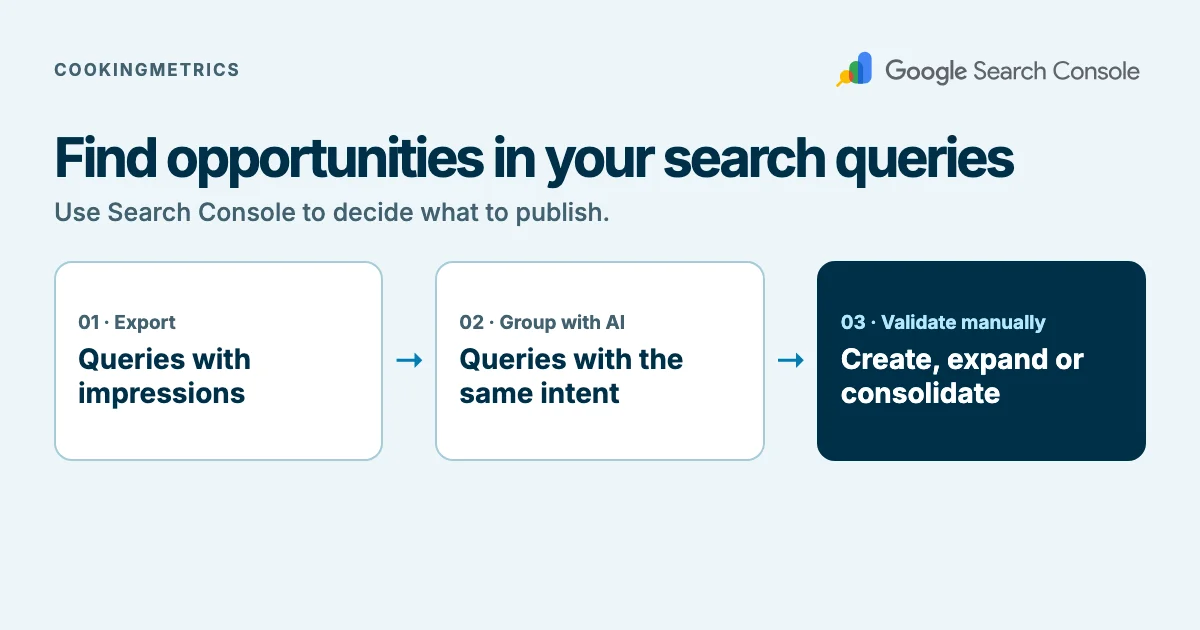
To detect content opportunities, export from Search Console the queries that already generate impressions, group them by intent with an AI assistant, and check manually whether your site has a page that answers each group. The assistant sorts; it does not measure. Positions and volumes come from Search Console, and a person makes the final decision.
This guide is written for the people who decide what content to produce, not only for those who implement it. Technical terms are explained in plain words and the detail appears under the label "For the technical team". CookingMetrics offers audits and support to development teams, and does not sell visibility tools. A warning up front: CookingMetrics has not tested this method on its own data. We describe it based on Google's documentation and our own judgment, and we do not promise that it will produce more traffic.
In summary
- The starting point is the queries for which your site already appears on Google (impressions). They are a signal of real demand, although a partial one.
- The AI assistant only groups similar queries by intent. It must be forbidden from inventing volumes, positions or clicks.
- Each group is validated by hand by looking at Google's results: the intent the assistant assumes may be wrong.
- For each group, one of three things is decided: a new page, expanding an existing one or consolidating pages that compete.
- Search Console does not show all queries: it omits some for privacy reasons. For medium or large sites it is worth using the API or the BigQuery export.
- Before uploading data to an assistant, review its privacy terms.
What problem it solves
Many sites publish by intuition and do not know which questions already reach them without having a page designed for them. Search Console records which queries your site appears for. Cross-checking that list with the pages that exist reveals three situations: queries with no page of their own, pages that only partly answer, and several pages competing for the same thing.
An impression is an appearance of your page on a results page; it does not mean that anyone saw or read it. A query with many impressions and few clicks may point to an opportunity, or simply to a query that is not very relevant to your business. That distinction is yours, not the assistant's.
Step 1: export the data
In the Search Console performance report you can see the data by queries, pages, countries, devices, search appearance and dates, and by default it shows the last three months. Export two views: queries and pages, with clicks, impressions and position. Note the date range, because without it the figures cannot be compared later.
There is a difference worth knowing: according to Google, data grouped by queries is aggregated by property and data grouped by pages is aggregated by page. That is why the two exports may not add up to the same totals.
For the technical team: the data aggregation page states that some queries are omitted from the report to protect privacy (it calls them anonymized) and that the complete list is obtained with the bulk export. Anonymized queries count in the chart totals, unless a query filter is applied. The values "~" or "-" are exported as zero. For large volumes:
- The Search Console API offers a maximum of 25,000 rows per request (the example on the page calls it the "current maximum size") and is paginated with
startRow. The same page mentions a maximum of 50,000 rows per day and per search type, sorted by clicks, and warns that when grouping by page or query the system may drop data. The data is usually available after two or three days. - The bulk export to BigQuery delivers all of the property's data except anonymized queries, once a day. It is not retroactive: history from before the setup is obtained with the API or with the reports. It requires a Google Cloud project with billing and is subject to storage and query costs, with a free tier. The first export can take up to 48 hours.
- The official pages consulted on November 12, 2026 show no update date. The BigQuery documentation says once that
queryis empty and another time that it is null for anonymized queries.
Exclusive content
For signed-in readers
Review an export before sharing
Minimize data and record the destination, permissions and sample limits.
Sign in to access this section →We work to offer the best possible content, which is why some of these explanations are not public.
Your account does not have access to this section. Request a demo
Step 2: group by intent with an AI assistant
Ask the assistant to group the queries that look for the same thing, even if they are worded differently, and to name each group with the question it solves. An example of an instruction, which you can adapt:
- Group the queries in the list by search intent.
- Name each group with the question it answers.
- Use only the data I give you. Do not invent volumes, positions, clicks or new queries.
- If a query is ambiguous, leave it in a separate group called "unclassified".
The rule against inventing is the central part of the method. An assistant can produce plausible figures that are not in your data; that is why the numbers in the analysis are always calculated in the spreadsheet from the export, not from what the assistant writes.
For the technical team: if the list is long, split it into batches and ask for the same output format for each batch, so they can be merged. Ask for the result as a CSV table with one row per query and a group column, and calculate clicks, impressions and average position per group in the spreadsheet. Record the model version and the date used: another run may group differently.
Step 3: validate the intent by hand
For each relevant group, search for a representative query on Google and look at what types of pages appear: guides, comparisons, product pages, questions and answers. If the results show a different type of page from the one the assistant assumed, correct the group. This review is part of the method and is not delegated: the assistant can be wrong about what the person wants to find.
Results change by country, language, device and moment, and those of another person may differ from yours. Note where and when you are looking.
Exclusive content
For signed-in readers
Review intent groupings
Check a fictional classification against evidence and human judgment.
Sign in to access this section →We work to offer the best possible content, which is why some of these explanations are not public.
Your account does not have access to this section. Request a demo
Step 4: decide what to do with each group
Cross-check the groups with the pages export and assign a decision:
- New page: the group has no page that answers it and it is relevant to your business.
- Expand a page: a page exists and appears, but it does not fully answer the question.
- Consolidate: two or more pages appear for the same group. Decide which one to keep and how to merge or redirect the others. This is a hypothesis, not a certainty: that several pages appear for the same query does not prove that they harm each other.
- Do nothing: the group is not relevant, or the existing page already covers it.
Prioritize by relevance to your business, not only by impressions. A query with few impressions can be far more valuable than one with many.
How to measure whether the method worked
Define before publishing what you will compare and over what period. One possible criterion: for each new or expanded page, compare impressions and clicks for its target queries in the same Search Console report, before and after, with the same date range and without other large changes on the site. With low volume the variations are noise; the method serves to decide what to write, and changes in traffic do not by themselves prove that the decision was a good one. For the measurement baseline see Search Console, Bing and Clarity.
Exclusive content
For signed-in readers
Prioritize and review an editorial improvement
Document the decision, its limits and a later comparison.
Sign in to access this section →We work to offer the best possible content, which is why some of these explanations are not public.
Your account does not have access to this section. Request a demo
Limits and risks
- There is no own data. CookingMetrics did not run this method on its own site for this guide. If it does, it will publish the anonymized result with its limits.
- Anonymized queries are not in the analysis. Part of the demand stays outside what Search Console shows.
- Impressions are not equivalent to total demand. Only appearances on Google count.
- The assistant can get the intent wrong or invent data. Hence the rule and the manual validation.
- Privacy. The export contains queries from real people and business data, perhaps a client's. Review the assistant's privacy and retention terms, and exclude what should not leave your organization before uploading it. We do not take a position on any provider.
- The official pages show no update date. It is worth rereading them before deciding.
What to do next
To expand a validated topic, use a map of related subqueries.
Choose a single site, a single date range and ten queries to test the method before scaling it. If you would like us to review, together with your team, which queries already reach you and which pages are missing, learn about our technical SEO service: we audit and support your team, and we do not sell visibility tools.
Frequently asked questions
Can I trust an AI assistant to decide what content to create?
It can sort and group queries, but it must not supply figures or decide. The numbers come from Search Console and the intent is validated by hand in Google's results.
Does Search Console show all the queries for my site?
No. According to Google's documentation, some queries are omitted from the report to protect privacy. The most complete list is obtained with the bulk export to BigQuery, which also does not include anonymized queries.
What do I do if my site has many queries?
Use the Search Console API, which delivers up to 25,000 rows per request, or the BigQuery export, which requires a Google Cloud project and may have costs.
Is it safe to upload my Search Console data to an AI assistant?
It depends on the assistant's privacy and retention terms and on what the data contains. Review them beforehand and exclude what should not leave your organization.